
Colors & Shapes: Coloring game
RV AppStudiosEducational
4.5579.00 Reviews
- Version
- Varies With Device
- Installs
- 10.00M
- Age Rating
- Everyone
Screenshots
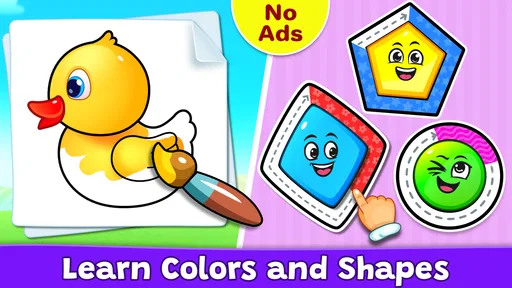


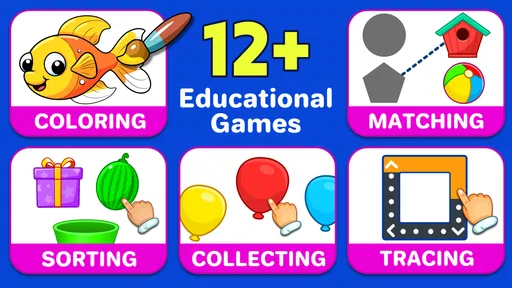

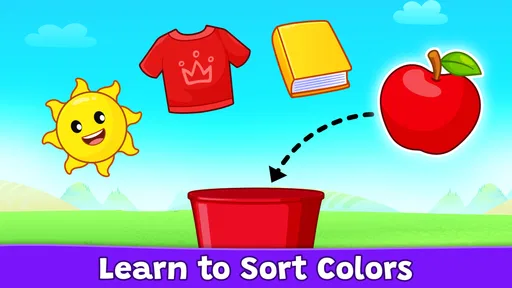
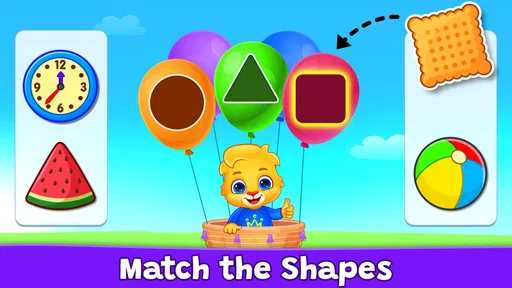
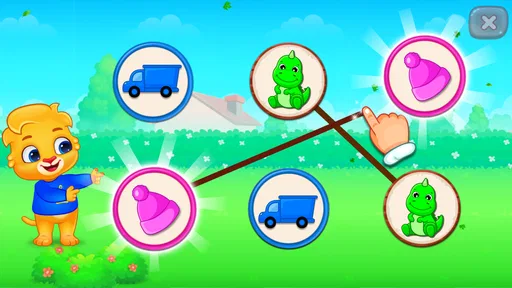
Our Review of Colors & Shapes: Coloring game
 Analysis by Appyee
When I first opened Colors & Shapes: Coloring game, I understood the appeal immediately: it turns two very familiar early-learning topics into short, hands-on activities. Children can work with colors, recognize shapes, and spend a little time coloring without needing to read complicated instructions. That makes it an easy game to introduce during a quiet afternoon, a waiting period, or a short break between more demanding activities.
My first impression was positive, but the more useful question is whether it deserves a regular place on a child’s device after the novelty wears off. In my experience, this is not the kind of educational game that replaces guided learning, drawing materials, or a broader preschool curriculum. Its value is narrower and more practical: it offers a simple digital space for repeating basic recognition and coloring tasks at the child’s own pace.
It is a free educational game from RV AppStudios, aimed at Everyone, and it runs on Android devices using version 6.0 or later. Its popularity is substantial, with over ten million installs, an average rating of 4.5, and around twenty-one thousand ratings. Those figures suggest that many families find the format approachable, but they do not automatically mean every child will keep returning to it. The lasting value depends heavily on the child’s age, patience, and need for repetition.
What the first week feels like
The first few sessions are where the game is strongest. A child who already enjoys tapping, dragging, and filling areas with color can understand the basic idea quickly. There is no need to explain a complex story or teach a long chain of controls before the activity becomes useful. That low entry barrier matters for younger children, especially when an adult wants something calmer than a fast-paced arcade game.
I would introduce it in short sessions rather than handing over the device for an open-ended stretch. The activities are better suited to a clear beginning and end: choose a task, explore the colors or shapes, complete a picture, and then put the device away. This approach keeps the game connected to learning instead of turning it into background screen time.
The color theme is especially accessible for children who are beginning to name or distinguish common colors. A parent can sit nearby and ask simple questions while the child plays: which color did you choose, what shape do you see, and can you find another object with a similar outline? The game itself provides the visual prompt, while the conversation adds the language practice that a screen cannot provide on its own.
The shape activities can also work as a gentle introduction to visual classification. I found the most useful approach was not to rush toward completion. Asking a child to compare two forms, trace the difference with a finger, or look for the same shape in the room turns a brief digital exercise into a small observation game. That is one of the less obvious strengths here: the app can become a starting point for offline learning when an adult treats it as a prompt rather than a babysitter.
Coloring is likely to attract children who do not yet care much about formal lessons. A child may approach the activity because it feels creative, then absorb repeated exposure to basic color choices and shape boundaries along the way. That indirect route is useful, although parents should remember that digital coloring does not develop exactly the same hand control as crayons, pencils, or paint.
Who gets the most from the early sessions
I see the best fit in preschool-age children and early learners who enjoy visual activities but need a simple interface. It can also suit a child who becomes frustrated by games with timers, complicated menus, or competitive scoring. The relaxed subject matter makes it easier to focus on recognition and experimentation rather than winning.
It is also a reasonable choice for a family that wants a free starting point. There is no purchase decision standing between a child and the basic experience, which makes it convenient to try before deciding whether the format is worth keeping. Since the age rating is Everyone, it is positioned as a broadly accessible children’s title rather than a game built around older players or mature themes.
However, I would not choose it as the main tool for a child who already knows colors and shapes confidently and wants deeper challenges. A child looking for reading practice, number work, storytelling, music, or open-ended construction will probably need another app alongside it. The narrow focus is part of its clarity, but it also limits how far the learning can progress.
A realistic everyday routine
Imagine a child waiting while a parent finishes a short household task. Instead of opening a general video platform, the parent starts a brief coloring or shape activity and stays close enough to talk about what appears on screen. After the child finishes one task, the parent asks them to find a matching color or shape away from the device. The whole routine can remain short, but it creates a useful bridge between screen activity and the real world.
That routine is more effective than using the game whenever a child is bored. If it becomes an automatic response to every quiet moment, the educational purpose can disappear and the child may begin seeking only the familiar tapping pattern. I would reserve it for predictable moments, such as a calm transition before lunch or a short waiting period, so the game remains a tool with a purpose.
What remains useful after the novelty fades
By the second or third week, the main question changes. The child is no longer discovering the idea of the game; they are deciding whether repeating it still feels worthwhile. This is where the app’s focused design can work for some families and feel limited for others.
Repetition is not automatically a weakness in early education. Young children often benefit from seeing the same concepts several times, especially when they are still building vocabulary or visual confidence. A child may enjoy returning to color activities because familiarity makes the task feel manageable. Another child may lose interest once the pictures no longer feel new. Both reactions are normal, and neither can be solved simply by increasing the session length.
I would measure ongoing value by watching what the child does during play. If they begin naming colors without prompting, comparing shapes, making deliberate choices, or explaining why a selection fits, the game is supporting active learning. If they tap through every activity without looking closely, the app has probably become a routine gesture rather than a useful exercise.
One practical method is to change the adult’s role over time. During the first sessions, demonstrate the basic interaction. Later, stop giving answers and ask the child to explain the choice. After that, connect the screen to physical objects: a round plate, a rectangular book, a red toy, or a blue cup. This gradually shifts the value away from simply completing pictures and toward applying the concepts elsewhere.
The game is also more likely to survive month to month when it is used as a supplement rather than a standalone lesson plan. Pairing it with coloring on paper can reveal an important difference: the app offers convenience and immediate digital feedback, while physical materials offer resistance, grip practice, and a less restricted creative process. I would keep both available instead of treating one as a replacement for the other.
How it compares with familiar alternatives
Compared with a general drawing app, this game gives younger children a clearer learning direction. A blank canvas can be liberating, but it can also be confusing when a child does not know what to do next. Colors & Shapes: Coloring game provides a more guided path around basic concepts, which is useful for a first introduction.
Compared with flashcard-style learning, it feels more active. The child is not only looking at an answer; they are interacting with a picture and making a choice. The trade-off is that a flashcard app may be better for quick, direct recall, while this game is more comfortable for a child who learns through visual play and repetition.
Compared with a full early-learning suite, this title is easier to understand but less broad. A larger suite may cover letters, numbers, memory, music, and stories in one place, which is better for families seeking variety. The downside of those larger collections is that menus and extra activities can distract a young child. This game’s narrower scope can be an advantage when the immediate goal is colors and shapes rather than an all-in-one curriculum.
For a child who needs structured progression, detailed performance tracking, or more advanced educational content, I would look elsewhere. For a child who needs a friendly, focused activity that can be opened without much preparation, this simpler approach is more convincing.
The maintenance burden for parents
The game is easy to start, but maintaining its value still requires some adult attention. The biggest burden is not learning the controls; it is deciding when to stop. Young children can continue tapping long after their attention has become passive, so I would set the session boundary myself rather than relying on the child to recognize fatigue.
A second responsibility is keeping the activity conversational. If the child plays alone every time, the app may still provide visual practice, but much of the language benefit is left unused. A few well-timed questions can make a meaningful difference without turning play into a test. I prefer comments such as “tell me about that picture” over constant correction, because the latter can make a relaxed activity feel like homework.
Parents should also check whether the child is using the game for the intended reason. A child who likes coloring may not care about naming colors, while a child interested in shapes may rush through the coloring portion. That is not necessarily a problem. It simply means the adult should follow the child’s strongest interest and use it as the entry point for the other concept.
Device habits matter as well. A small screen can make detailed coloring less comfortable, especially for a child who presses hard or holds the device too close. I would place the device on a stable surface, keep the child seated comfortably, and avoid presenting the game as something to use while walking, eating, or getting ready for bed. These small choices protect the learning routine from becoming chaotic.
The free price makes experimentation easy, but free access does not remove the need for supervision. I would still treat it like any other children’s app: use it in a shared family routine, review the experience periodically, and remove it if the child no longer engages thoughtfully. A title does not earn permanent space simply because it costs nothing.
Where fatigue begins
The first source of fatigue is the limited subject range. Colors and shapes are sensible foundations, but they cannot provide endless novelty for every child. Once a child has mastered the central ideas, repeating the same kind of activity may feel less rewarding unless the child enjoys coloring for its own sake.
The second is the difference between digital completion and genuine understanding. Filling an area with the correct color can look successful, but it does not prove that a child can identify that color in a different setting. Likewise, recognizing a shape in one picture may not transfer automatically to objects around the home. Adults need to create those connections; otherwise, the game can become a series of correct taps without much lasting learning.
There is also a creative limitation in guided coloring. Children who want to mix colors freely, draw outside boundaries, or invent their own scenes may eventually feel constrained. That is the point where paper, washable markers, or a more open drawing tool becomes the better choice. I would not push this game onto a child whose enjoyment comes mainly from unrestricted artistic experimentation.
Another possible problem is using it as a reward too often. If every completed task leads to the app, the child may start viewing colors and shapes as a chore that must be exchanged for screen time. I found it healthier to present the game as one option among several, including books, physical puzzles, outdoor observation, and ordinary conversation.
Finally, the game may not suit families searching for measurable academic progress. Its activities can support practice, but I would not use a child’s completion speed or enthusiasm as a formal assessment. A parent who needs detailed milestones, individualized difficulty, or a broader learning sequence should choose a more specialized educational platform.
Three ways to extend its useful life
First, use the app before a real-world sorting activity. After a short session, give the child objects in different colors or shapes and ask them to group them. This prevents the screen from becoming the entire lesson and shows whether the visual recognition is transferring.
Second, let the child make the explanation. Instead of saying “that is a triangle,” ask what makes the shape different from the others. Even a simple answer encourages observation and vocabulary. This is especially useful when the child already knows the basic names and needs a reason to keep thinking.
Third, rotate the game with physical coloring rather than increasing digital time. Ask the child to recreate a favorite picture on paper, change its colors, or add an object with the same shape. The digital activity then becomes a reference point for creativity, not the final destination.
These habits also make it easier to notice when the app has reached the end of its useful period. If the child can transfer the concepts confidently and no longer shows interest, moving on is a success rather than a failure.
My long-term verdict
I think Colors & Shapes: Coloring game earns a place on a child’s device when the family wants a focused, low-pressure introduction to basic visual concepts. Its strongest qualities are the approachable theme, the coloring-based interaction, and the simplicity that lets a young child begin without a long explanation. The fact that it is free and available for Android 6.0 or later makes it an easy option to test in an existing household routine.
Its lasting value is more conditional than its first-week appeal. It works best in short sessions, with occasional adult conversation and regular links to physical objects or paper activities. Used that way, it can remain useful for repeated practice without pretending to be a complete early-learning program.
I would recommend it to parents of young children who enjoy visual play, need a calm activity, or are beginning to work on color and shape vocabulary. I would skip it for older or advanced learners who want broader subjects, deeper progression, or a genuinely open-ended art studio. I would also avoid relying on it as a default distraction throughout the day.
My final judgment is favorable but measured: it earns lasting space when it supports a habit, not when it replaces one. Keep sessions purposeful, talk with the child, and alternate digital coloring with real-world exploration. Under those conditions, this educational game can stay useful beyond the initial novelty, even though its focused content will eventually make it a supplement rather than a long-term destination.
Verdict
Strengths of Colors & Shapes: Coloring game
- Simple controls make it easy for young children to color independently.
- Bright visuals and cheerful designs keep short play sessions engaging.
- Shape-based activities can support basic visual recognition skills.
- Works well as a quiet activity during travel or waiting times.
- Suitable for preschoolers with little reading required.
Limitations of Colors & Shapes: Coloring game
- Some content may feel too easy for older children.
- Repeated activities can reduce long-term replay value.
- Ads or locked items may interrupt the child’s experience.
- Limited creative tools may frustrate children who want more freedom.
- Requires supervision if the device has in-app purchase access.
Other Releases by RV AppStudios
View All
Coloring Games: Color & Paint
Educational4.4

Drawing Games: Draw & Color
Educational4.3

Baby Games: Piano & Baby Phone
Educational4.4

Puzzle Kids: Jigsaw Puzzles
Educational4.4
Similar Picks in This Category
View All
Little Panda Policeman
BabyBus4.0

Monster Trucks Game for Kids 2
Raz Games4.1

Little Panda's Chinese Recipes
BabyBus4.4

Little Panda's Restaurant
BabyBus4.4

Little Panda's Ice Cream Games
BabyBus4.3

Baby Panda Care
BabyBus3.8
Frequently Asked Questions
What is Colors & Shapes: Coloring game?
Colors & Shapes: Coloring game is a relaxing, child-friendly coloring app built around simple shapes, bright colors, and creative activities. Players can choose an illustration or geometric design, fill different areas with colors, and create their own cheerful artwork. Its straightforward controls make it suitable for young children, while the casual format can also appeal to anyone looking for a simple offline-style coloring experience.
Is Colors & Shapes: Coloring game suitable for children?
Yes, the game is primarily designed for children who are learning to recognize colors and basic shapes. The interface is easy to understand, and coloring does not require advanced reading or gaming skills. Parents should still review the app’s age rating, advertising policy, and available settings before handing over the device, particularly if the child will be playing without supervision.
Does the game help children learn colors and shapes?
Colors & Shapes: Coloring game can support early learning by allowing children to interact with common colors and simple forms in a playful way. It is useful for practicing recognition, matching, and creative decision-making, but it should be viewed as a supplementary activity rather than a complete educational course. Younger children may benefit most when an adult discusses the colors and shapes with them.
Can Colors & Shapes: Coloring game be played without an internet connection?
Many coloring activities may be available after the app has been installed, but offline access can depend on the version, device, and whether particular content must be downloaded first. Some features, advertisements, updates, or optional purchases may require an internet connection. For reliable offline use, open the app once while connected and test the desired coloring pages before traveling or giving it to a child.
Is Colors & Shapes: Coloring game free to download?
The app may be available as a free download, although the exact pricing model can vary between Android and iOS and may change with future updates. Free versions can include advertisements, locked picture packs, or optional in-app purchases. Before downloading, check the store listing for current costs, permissions, age information, and purchase details, and consider enabling parental controls if children use the device.
Play our best games!


